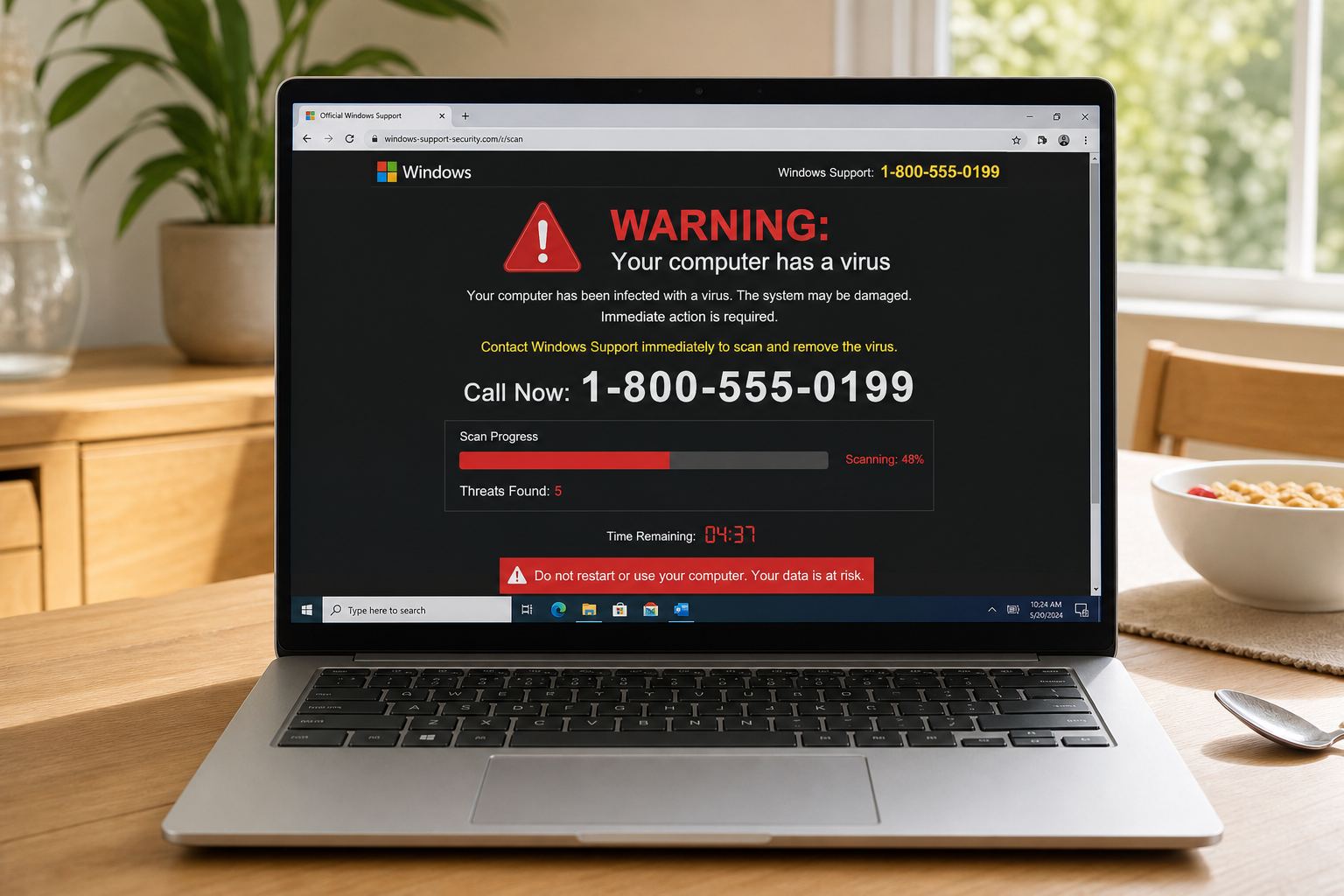
Virus popups
The virus popup is usually just a webpage
Updated 6 September 2026
You were looking something up. Then the screen went red, a siren started, and a phone number told you to call Windows Support right now. That is a webpage putting on a costume. It is not your antivirus, and it is not a technician who found you.
What you are looking at
A full-screen warning, often with a fake Windows or Apple look, a countdown, and a number to call. Your speakers may loop an alarm. The FTC’s own tech-support scam page says the same thing we will: hang up, do not give anyone control of the computer, do not pay. They do not reach you through a random site.
Close it without calling
On a phone, swipe the browser away. On a computer, force-quit the browser if the page will not let you leave. Restart if you have to. Then open the browser yourself and go to a site you type. If you already let someone remote in, treat it like a break-in: change passwords from a different device, and read what to do if you typed a card.
A newer relative of this popup skips the phone number. A fake "verify you are human" box tells you to press Windows+R, paste and press Enter, which runs the attacker's program for them. If a page walked you through that, read what to do after a fake CAPTCHA command.
If the "technician" then says your bank account is exposed and tells you to withdraw cash and feed it into a machine at a gas station, stop there. That is the bitcoin ATM scam, and FinCEN says tech support calls are the most common route into it.
What this page will not do
We will not rank antivirus products or ask you to upload a file. We will not walk a business through ransomware. This page exists so you do not install the thing the popup is selling.
Quick answers
- Is my PC already infected?
- Usually no. A website can shout at you. It cannot install a virus just by showing a banner. The danger starts if you called them or ran a file they sent.
- Should I pay for their remote tool?
- No. That is how they get onto the computer.
- Where do I report this?
- FTC ReportFraud. If money left the account, your bank and IC3 as well.
This is general safety information, not legal advice. Scams change. If you need an official desk: FTC ReportFraud or IC3.