Packages
The QR code in your mystery package, decoded
Updated 6 September 2026
The package you didn't order is the delivery mechanism. The printed card with the QR code is the payload. Police departments and Better Business Bureau offices have been logging variants of these cards continuously since the FBI first flagged the pattern in July 2025, and they keep evolving because printing new cards is free. Here are the ones circulating, and what each is fishing for.
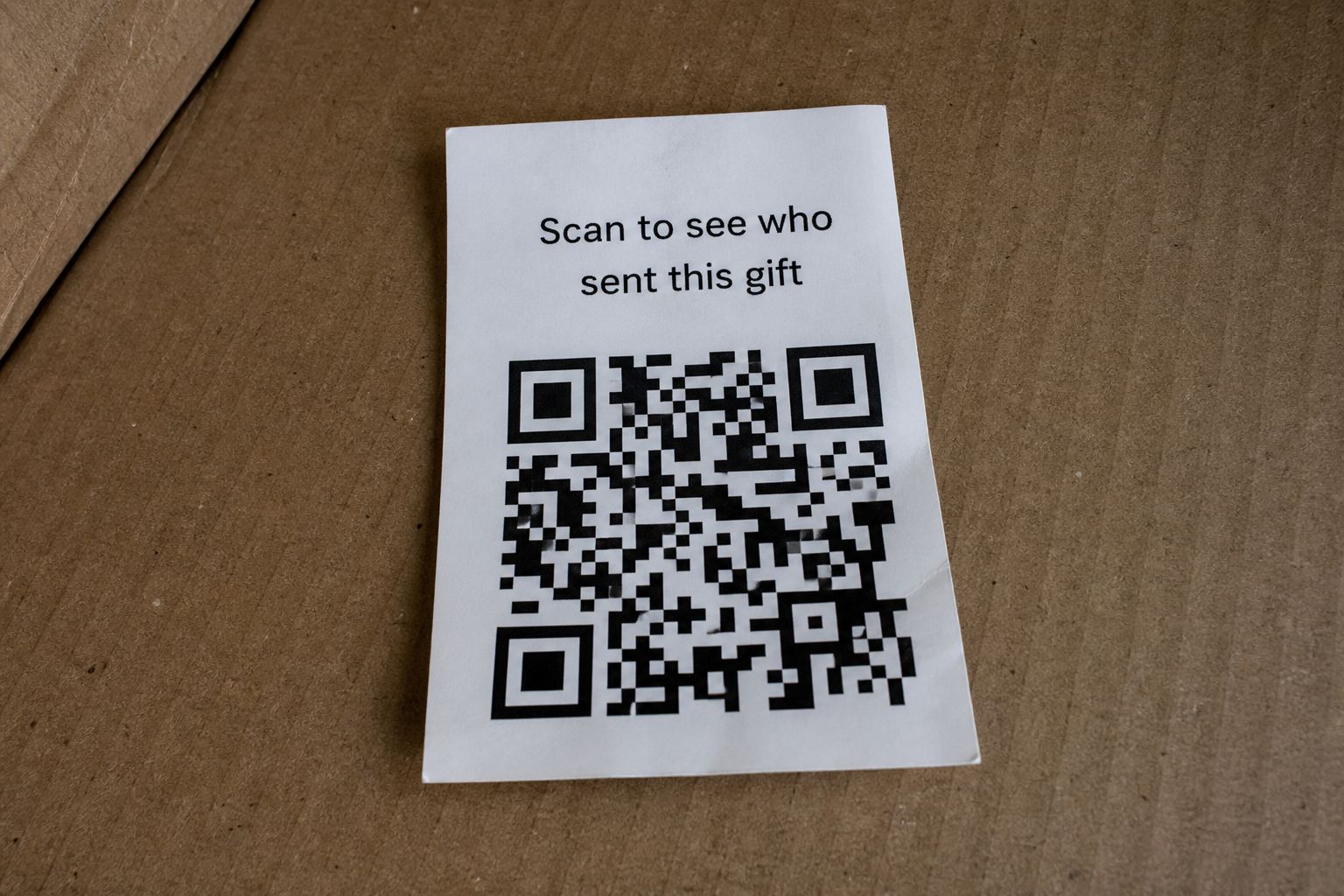
"Scan to see who sent this gift"
The cleverest one, because it weaponizes a completely reasonable question. You want to know who sent the box; the card offers to tell you. The code leads to a page that asks you to sign in with Amazon, Google, or Apple to "reveal your sender". The page is a copy. The login goes to the scammer, and with it whatever that account holds: saved cards, order history, linked emails.
There is no sender. Nobody you know sent it. Brushing packages come from sellers gaming marketplace reviews, and the "who sent this" mystery is manufactured bait.
"Register your gift card" or "activate your reward"
This variant claims the gadget comes with a gift card or store credit that needs activating. Activation, naturally, requires your name, address, date of birth, and card number "for verification". Sometimes it asks for a small shipping or processing fee, which does double duty: it takes a few dollars and, more importantly, captures a working card number with a fresh billing address attached.
"Scan for warranty" or "product manual"
The softest version, and honestly the hardest to spot, because real cheap electronics do ship with QR manuals. The difference is context. A product you bought can reasonably link to a manual. A product that arrived unrequested, from no identifiable seller, linking to a page that wants your email and phone number "to register your warranty", is building a contact list for follow-up scams. Phone numbers harvested this way feed the voice scam pipeline, where a number with a known name and address attached is worth real money.
The app install
The most dangerous variant by a distance. The page prompts you to install an app to claim your reward, track your gift, or "verify your device". On Android this may arrive as a direct APK download with instructions for allowing "unknown sources". That app is where actual malware lives: overlay attacks that mimic your banking app, SMS interception for stealing login codes, or plain spyware. If any page a QR code opened is telling you to install something, close it. No legitimate gift requires an app.
Keeping perspective
One honest caveat, because our job is accuracy rather than alarm. Simply scanning a code, or even loading the page it points to, very rarely infects a modern, updated phone by itself. Fact-checkers have rightly pushed back on coverage implying that a scan alone equals compromise. The damage path almost always runs through something you type or something you install. That's good news: it means the moment of danger is visible, and it's a moment you control.
So the rule is simple. Don't scan codes from packages you didn't order. If you want to see where one leads, check it from a photo instead. If you already scanned and went further than you'd like, work through the recovery steps now rather than hoping for the best. And report the card at ic3.gov, because these investigations run on reports.
Quick answers
- Can I just throw the card away?
- Yes. That is a perfectly good outcome.
- I already scanned it.
- See I scanned a scam QR code.
This is general safety information, not legal advice. Scams change. If you need an official desk: FTC ReportFraud or IC3.