What Is the WiFi Pineapple?
The WiFi Pineapple is a purpose-built penetration testing platform manufactured by Hak5, designed specifically for WiFi security auditing. Unlike general-purpose Linux distributions loaded with wireless tools, the Pineapple is engineered around a single mission: conducting undetectable Evil Twin attacks at scale. It is the tool you see in movies when someone wants to sit in a coffee shop and harvest passwords from everyone in the room.
Hak5 currently sells two hardware models:
- WiFi Pineapple TETRA — The flagship model. Features four concurrent radio transceivers (2.4GHz and 5GHz bands), a dedicated ARM processor, gigabit ethernet, USB 3.0, and expandable storage via SD card. Designed for professional penetration testers who need high throughput and multi-channel operations simultaneously. MSRP: approximately $399 USD.
- WiFi Pineapple Nano — The compact field unit. Two radios (one 2.4GHz, one 5GHz), ARM processor, 10/100 ethernet, and USB OTG. Roughly the size of a deck of cards. Ideal for assessments where portability is paramount. MSRP: approximately $199 USD.
Both units run PineOS, Hak5's custom embedded Linux distribution, and are managed through an intuitive web-based dashboard called the Pineapple API. The device creates a fake access point, lures clients to connect, and provides a suite of modules for traffic interception, credential harvesting, and man-in-the-middle attacks — all without requiring the operator to manually configure hostapd, dnsmasq, or iptables.
Hardware Specifications and Setup
Pineapple TETRA
- Processor: ARM Cortex-A7 @ 900MHz
- RAM: 512MB DDR3
- Storage: 4GB eMMC + microSD slot (up to 128GB)
- WiFi Radios: 4× MIMO 2.4GHz/5GHz 802.11a/b/g/n/ac (MediaTek MT7612U + MT7602U chipsets)
- Ethernet: 10/100/1000 Mbps
- USB: USB 2.0 × 2, USB 3.0 × 1
- Power: DC 5V @ 2A via barrel jack or USB-C
Pineapple Nano
- Processor: MIPS 24Kc @ 580MHz
- RAM: 128MB DDR2
- Storage: 16MB SPI flash + microSD slot
- WiFi Radios: 2× 802.11b/g/n (2.4GHz) + 802.11a/n/ac (5GHz)
- Ethernet: 10/100 Mbps
- USB: USB 2.0 OTG × 1
- Power: DC 5V @ 2A via micro-USB or barrel jack
Initial Setup
$ # Connect to the Pineapple's open SSID (default: Pineapple_XXXX)
$ # Navigate to http://172.16.42.1:1471
$ # Follow the setup wizard — set admin password, configure your uplink

[Pineapple] System initialized. Firmware version: 2.5.0
[Pineapple] Creating access point with SSID: FreePublicWiFi
[Pineapple] Karma mode: enabled
[Pineapple] Modules loaded: 12 active
The Pineapple is powered via USB-C or DC adapter and connects to the internet (for forwarding traffic) through its ethernet port or a WiFi uplink. The attack radio broadcasts the fake AP independently.
Pineapple vs. DIY Alternatives
One of the most common questions in WiFi security training is: why spend $200–$400 on a Pineapple when I can build something equivalent with a Raspberry Pi and Alfa adapter? The answer lies in integration, reliability, and time.
| Capability | WiFi Pineapple | Raspberry Pi + Alfa + Mana |
|---|---|---|
| Setup time | ~10 minutes (web GUI) | 1–3 hours (manual config files, kernel modules, scripts) |
| KARMA support | Built-in, one-click enable | Requires patched hostapd + custom config |
| Multi-channel monitoring | TETRA: 4 concurrent radios | 1 radio per Pi (requires multiple adapters + USB hub) |
| Module ecosystem | 30+ community modules (DWall, Responder, etc.) | None (manual tool installation) |
| Reliability | Hardened embedded OS, field-tested | Varies by Linux version, driver, and kernel |
| Warranty and support | Direct from Hak5, community forums | Self-supported, DIY forums |
| Portable form factor | Fanless, battery-ready, pocket-sized (Nano) | Requires Pi, case, Alfa, cables, hub, breadboard |
| Cost | $199–$399 | $80–$150 (but significant time investment) |
The DIY route is absolutely viable — and many professionals prefer it for the granular control it offers. But the Pineapple's value proposition is clear: it's a turnkey solution that works the moment you open the box, with a curated module ecosystem that would take weeks to assemble manually.
Core Capabilities
Evil Twin Attacks
The Pineapple's primary attack is the Evil Twin: broadcasting a fake access point with a compelling SSID (e.g., the target's corporate network name, or a generic "Free WiFi") and luring clients to associate. Unlike a normal AP, the Pineapple accepts any client that wants to connect — it doesn't verify credentials at the WiFi layer.
Once a client connects, the Pineapple acts as a transparent proxy. All traffic flows through the attacker-controlled device, enabling:
- Full inspection and modification of HTTP traffic
- Credential harvesting from unencrypted login forms
- Session cookie extraction for session hijacking
- SSL/TLS stripping (downgrading HTTPS to HTTP)
KARMA Mode
KARMA (Korean Air Lines Ralph, named after a demonstration at a 2004 DEFCON talk) extends the Evil Twin concept. Most people have devices configured to auto-connect to networks they've used before — Starbucks, hotel chains, corporate VPNs. When your phone walks into range, it broadcasts probe requests asking "Is Starbucks WiFi here?"
A KARMA-enabled device listens for those probe requests and responds: "Yes, I'm Starbucks WiFi." It doesn't wait passively — it actively狩猎 for known SSIDs. The Pineapple's KARMA implementation is refined and handles edge cases (client roaming between APs, multi-SSID environments) that DIY scripts often stumble on.
$ # Pineapple API — enable KARMA via the web interface or API
$ curl -X POST http://172.16.42.1:1471/api/karma/enable

{"status": "success", "karma": "enabled", "ssid_filter": "disabled"}

# Filter to specific SSIDs (optional — only respond to specific probes)
$ curl -X POST -d '{"ssid": "StarbucksWiFi"}' \
  http://172.16.42.1:1471/api/karma/ssid_filter

{"status": "success", "filter_active": "StarbucksWiFi"}
SSL Stripping
SSL stripping is the technique of downgrading HTTPS connections to plain HTTP before they reach the victim's browser. The victim thinks they're on a secure connection (their browser shows a lock icon) but the segment between the Pineapple and the victim is unencrypted.
$ # Enable SSLstrip module in Pineapple modules panel
[SSLstrip] Listening on interface: wlan1
[SSLstrip] Redirecting HTTPS → HTTP for: facebook.com, google.com, amazon.com
[SSLstrip] Captured login: user@email.com | Plaintext HTTP POST to /login
[SSLstrip] Session cookie: SESSION_ID=abc123def456; Domain=.facebook.com
The Pineapple also supports HSTS bypass through its SSLsplit implementation, which can maintain a certificate transparency log to spoof valid HTTPS certificates in real time for sites the attacker hasn't pre-seeded.
Credential Harvesting
The Pineapple includes a Logging module that captures credentials in real time from HTTP POST requests. It also integrates with Responder (via the module marketplace) to poison LLMNR, NBT-NS, and MDNS queries on the LAN side, capturing NTLM hashes that can be relayed or cracked offline.
$ # Live credential capture from the Pineapple dashboard
# (viewable in /pineapple/logs/credentials.log on the device)

[+H] HTTP POST → http://mail.google.com/m/v1/login
    Email: consultant@acmecorp.com
    Password: MyStr0ngP@ssw0rd!
    IP: 192.168.2.105 | MAC: 00:1A:2B:3C:4D:5E

[+H] HTTP POST → http://192.168.2.1/login
    Username: admin
    Password: Admin123!
The Pineapple API and Modules
The Pineapple's power comes from its module system. Accessed via the web dashboard at http://172.16.42.1:1471, the module marketplace offers 30+ plugins that extend functionality without additional setup.
Notable Modules
- DWall — Live HTTP/HTTPS traffic inspector with keyword logging, displaying every request in real time
- Responder — LLMNR/NBT-NS/MDNS poisoner for hash capture (pre-installed on newer firmware)
- SiteSurvey — Passive WiFi reconnaissance: shows all nearby APs, channels, encryption types, and client counts
- Evil Portal — Creates captive portal pages that capture credentials with custom HTML/CSS
- Tracker — Tracks connected clients across locations by MAC address, building a movement profile
- PineAP Daemon — The core KARMA/Evil Twin engine; can broadcast arbitrary SSIDs from a wordlist
$ # Install a module via Pineapple CLI (SSH to 172.16.42.1)
$ ssh root@172.16.42.1
$ pineapple install DWall

[Pineapple] Downloading DWall from Hak5 repository...
[Pineapple] Module installed: DWall v2.3.1
[Pineapple] Restart modules to activate

$ pineapple modules restart
[Pineapple] Modules reloaded. DWall is ready.
Why the Pineapple Is Still Used in 2026
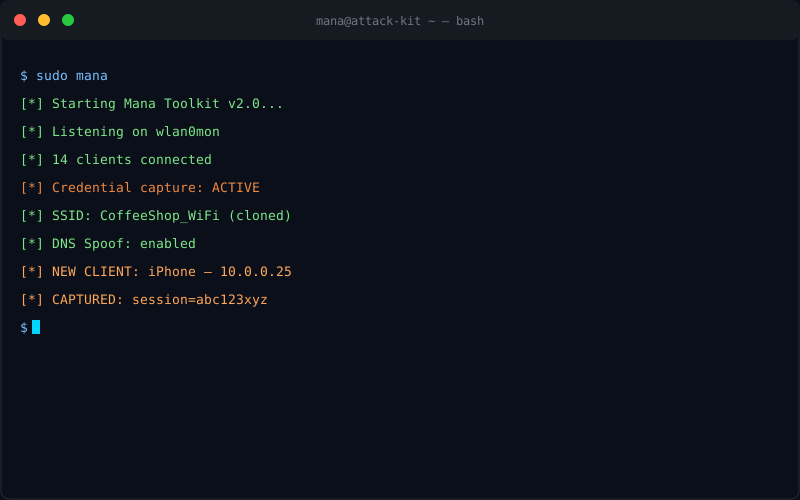
With open-source alternatives like Mana Toolkit and Wifislax freely available, why does the WiFi Pineapple remain the tool of choice at DEF CON, SANS courses, and professional penetration testing engagements?
- Speed of deployment: In an engagement, time is limited. A Pineapple is operational in under 5 minutes. Building a comparable stack on a Pi takes hours of configuration, driver troubleshooting, and script debugging.
- Hardware reliability: The Alfa AWUS036ACH — the go-to adapter for DIY builds — is notorious for driver regressions on newer Linux kernels. The Pineapple's embedded radios are vendor-supported and firmware-controlled.
- Client isolation bypass: The Pineapple's networking stack handles client isolation gracefully, allowing attacks that work even when clients can't see each other directly.
- Integrated reporting: The dashboard logs all captured credentials, hashes, and events with timestamps — ready to export for reporting.
- Training and certifications: The eWPT and CREST certifications reference the Pineapple in their labs. Students who train on the Pineapple are more likely to use it professionally.
Legal and Authorization Requirements
The WiFi Pineapple is classified as a network penetration testing tool in every jurisdiction we are aware of. Operating it without explicit written authorization from the network owner violates the Computer Fraud and Abuse Act (CFAA) in the United States, the Computer Misuse Act 1990 in the United Kingdom, and equivalent legislation in Canada, Australia, Germany, and most other countries. Penalties range from fines to felony charges with multi-year imprisonment. Hak5 explicitly warns buyers that the tool is for authorized security testing only.
Authorization requirements for a legitimate penetration testing engagement:
- Written scope document: Must explicitly list the WiFi networks in scope, the testing locations, and the techniques authorized (Evil Twin, KARMA, etc.)
- Client sign-off: A responsible officer at the target organization must sign the authorization before any testing begins
- Defined testing window: Authorized testing should occur within agreed time frames to avoid disrupting production operations
- RF awareness: Be aware that your Pineapple's transmissions may affect adjacent businesses or neighboring networks not in scope — physically shield the device or reduce power output if necessary
How Defenders Detect Pineapple Attacks
Detecting an active Pineapple attack requires understanding the signatures it leaves behind. Modern organizations use several layers:
- Wireless Intrusion Detection Systems (WIDS): Products like Cisco CleanAir, Aruba AirWave, and open-source projects like Kismet detect anomalous AP behavior — especially KARMA signatures (an AP responding to SSIDs it doesn't actually host)
- Rogue AP detection: Enterprise WiFi controllers maintain a database of authorized AP BSSIDs. Any new AP with a matching ESSID is flagged as rogue
- Client behavior analysis: Clients that suddenly connect to an unexpected AP may be reacting to a KARMA probe response. 802.1X supplicants with proper certificate validation will reject fake RADIUS servers
- ARP and DNS anomaly detection: Pineapple NAT traversal creates predictable ARP and DNS patterns — monitoring for unexpected ARP gateways or unusual DNS responses can reveal MITM positioning
- RF fingerprinting: Advanced WIDS systems can identify the Pineapple's radio signature (channel hopping patterns, transmission timing) and distinguish it from legitimate enterprise APs
The most effective defense against Evil Twin attacks is certificate-pinned 802.1X (WPA2-Enterprise or WPA3-Enterprise) with mutual TLS authentication. If your organization still relies on WPA2-Personal shared passwords, an Evil Twin attack is straightforward to execute and nearly impossible for users to detect reliably.